1-Week Free Trial · Windows

Dominate the Wipe with
RustMart

The advanced desktop companion for Rust. Live map, vending analytics, player tracking, event timers, and team chat — all in one place.

Compatible with Windows 10/11  ·  1-week free trial

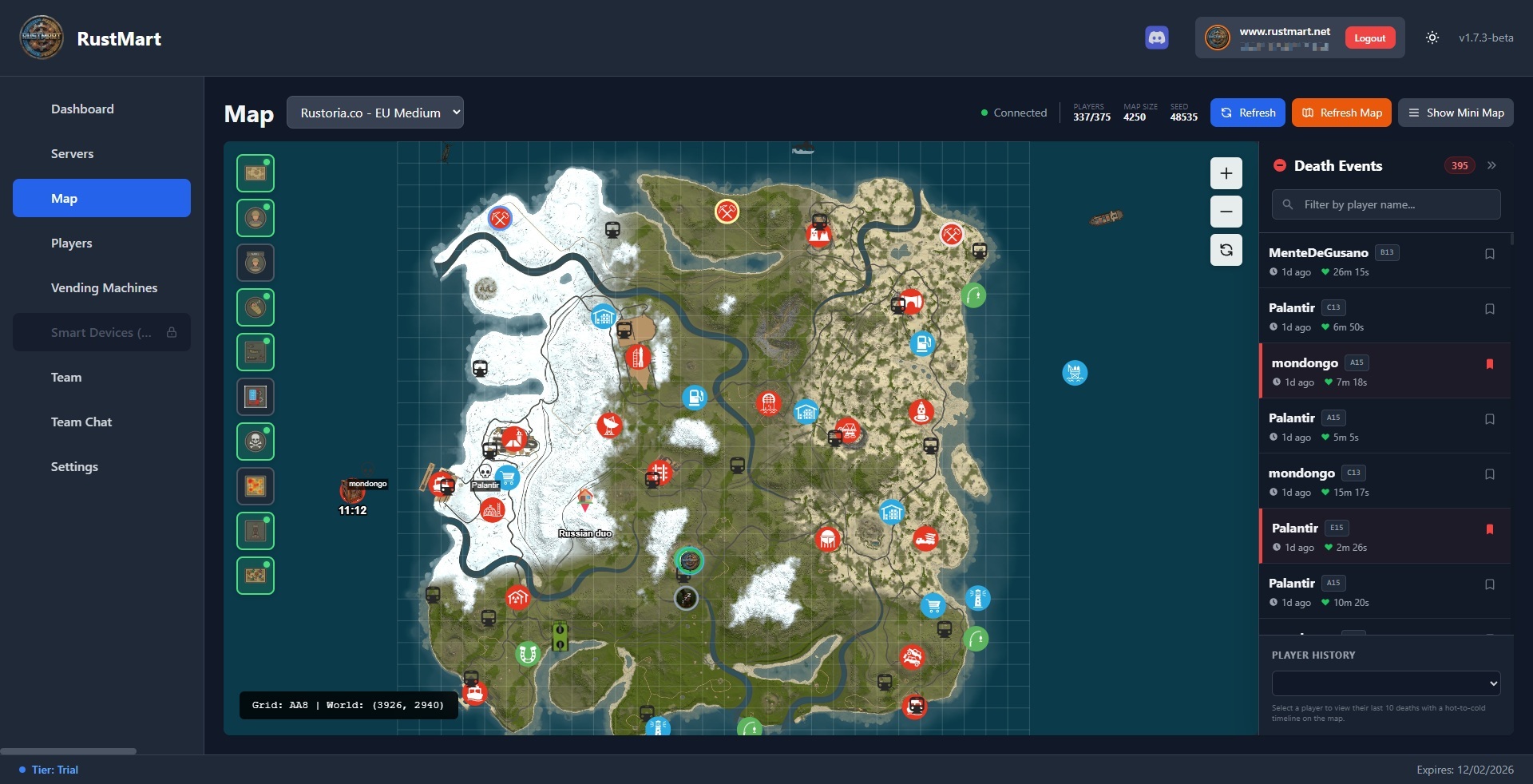
RustMart interactive map showing live player positions, events, and custom markers

Everything You Need to Stay Ahead

RustMart packs every tool a serious player needs into a clean, always-on companion that runs alongside the game.

Interactive Map

Live player positions, monuments, events, and death heatmap — all in real time.

Vending Browser

Search every vending machine on the server instantly. Set smart alarms for wanted items.

Player Tracking

Get online/offline alerts for specific players. Add custom tags and map markers.

Event Timers

Heli, Cargo Ship, Chinook, Oil Rig crate timers and live status — never miss a drop.

Death Heatmap

See where your team dies most. Preview and mark every death location to recover bodies.

Team Manager

View all team members, check their status, and promote a leader directly from the app.

Team Chat

Read and send team chat from your desktop. Use powerful in-game commands without tabbing out.

Fully Toggleable

Every feature can be turned on or off independently. Run only what you need.

Interactive Map

See Everything That Matters, Live

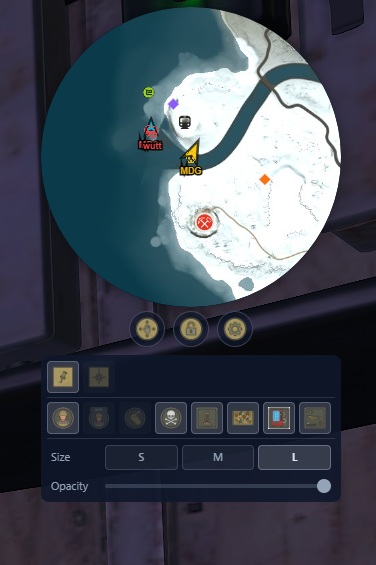
A real-time map that shows your entire server at a glance. Track your team, follow events, and understand the battlefield without ever tabbing out of Rust.

  • Live team tracking — view teammates with alive/dead/sleeping status and movement direction.
  • Death history — mark and preview where every team death happened. Great for recovering bodies after PvP.
  • Live events — track Heli, Traveling Vendor, Oil Rig crate timers, and Chinook crate drops in real time.
  • Custom markers — mark bases, enemy spots, or attach markers to tracked players.
  • Death heatmap — spot the hotspots where your team dies most often and adapt your routes.
RustMart interactive map with live player tracking, event markers and death heatmap
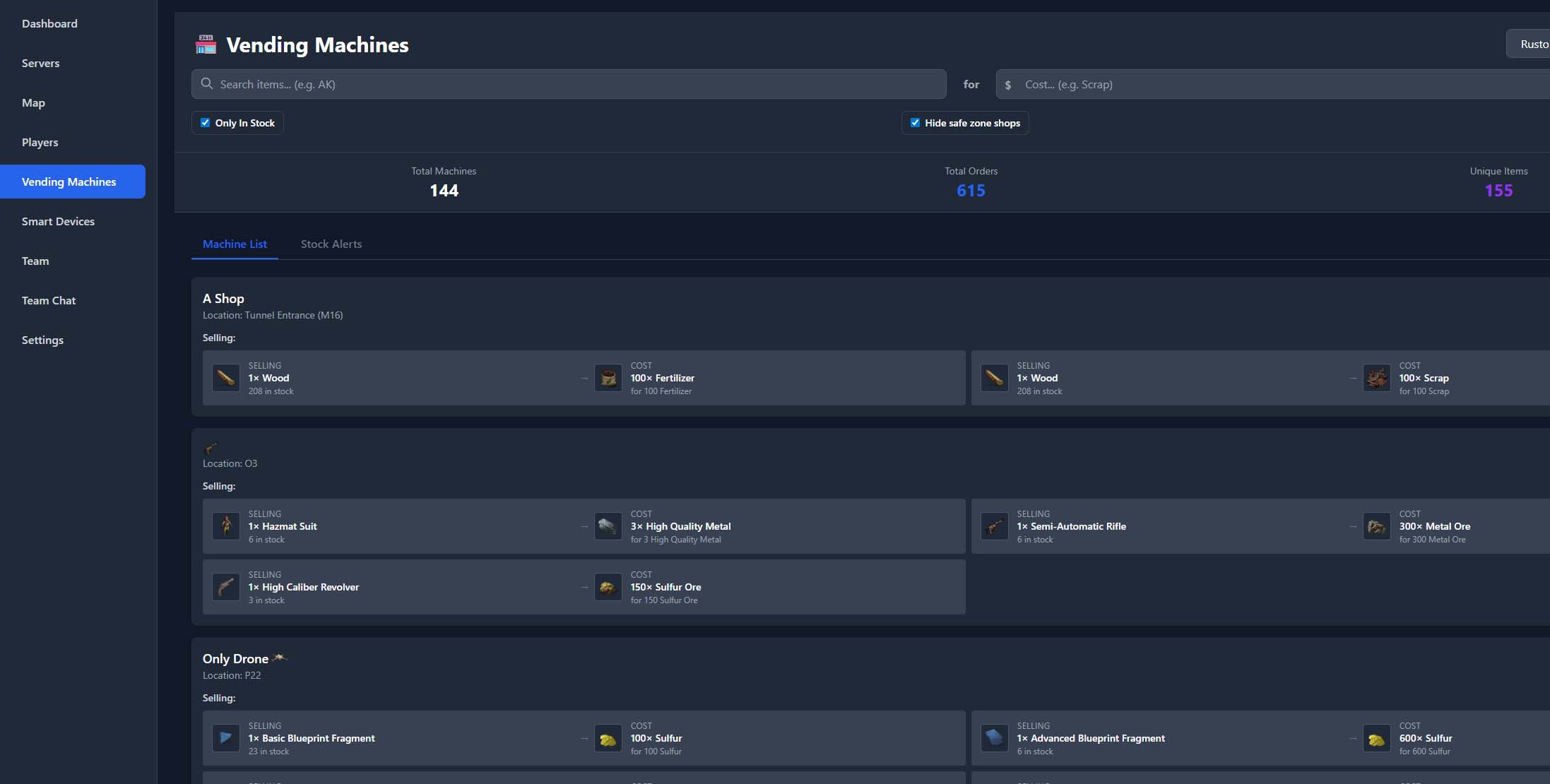
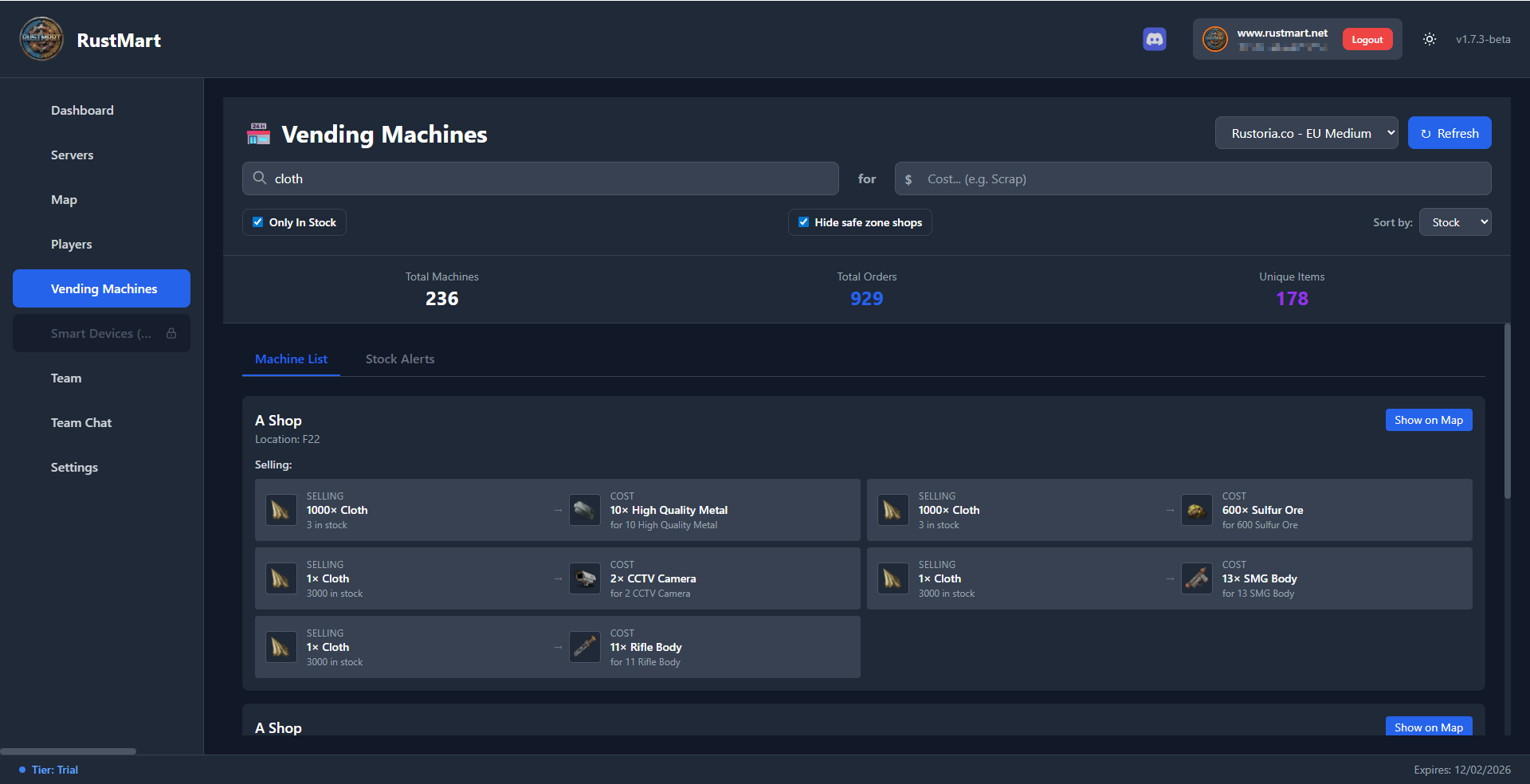
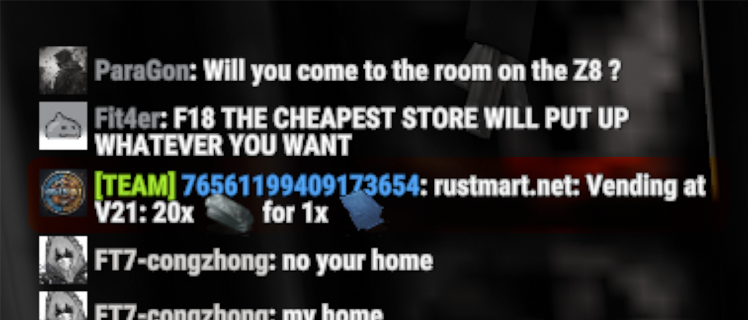
RustMart vending machine search results showing item prices across the server
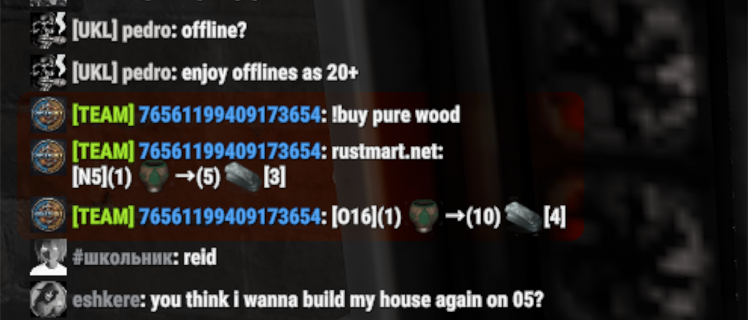
RustMart !buy command showing vending machine results in team chat
RustMart stock alarm notification when a wanted item appears in a vending machine
Vending Browser

Skip the Map Hopping. Trade Smarter.

RustMart searches every vending machine on the server in seconds — from the app or directly from in-game chat. Real-time market intel so you can trade faster than anyone else.

  • Search all vending machines — buy or sell any item with instant results.
  • Filter safe-zone machines (e.g. Outpost) and exclude out-of-stock orders.
  • Smart stock alarms — get notified in team chat when a wanted item appears for the first time.

In-game chat commands

!buy <item> — find machines selling an item

!sell <item> — find machines buying an item

Player Tracking

Always Know When They're Online

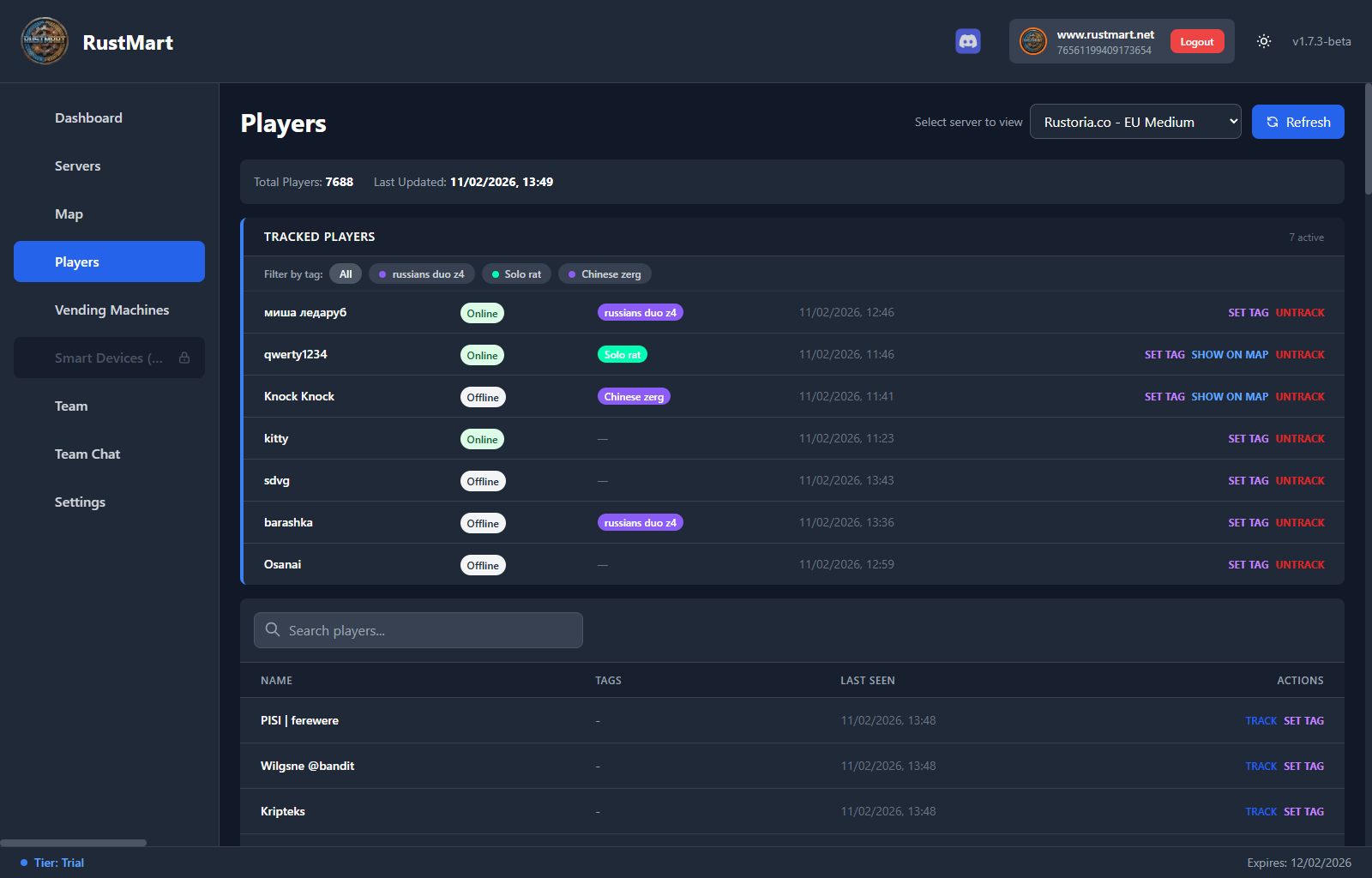
Track rivals, allies, or anyone on the server. RustMart monitors their status and fires instant team-chat notifications the moment they connect or disconnect.

  • Search by name with last seen time — even if they're still online.
  • Custom tags — group tracked players (e.g. "Raid Team", "Allies") and add custom map markers.
  • In-game command control — track, untrack, and check status directly from chat without switching apps.
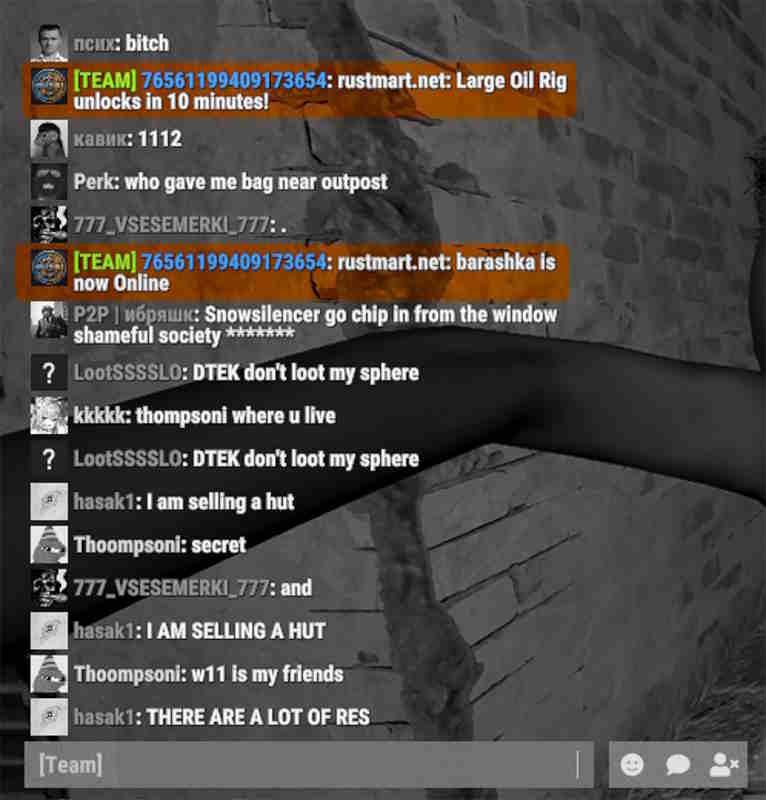
  • Live chat notifications — instant alerts when tracked players go online or offline.
RustMart player tracking list showing tracked players with online status and custom tags
RustMart in-game player tracking notifications appearing in team chat
In-Game Commands

Control Everything from Team Chat

Type commands in Rust's team chat while RustMart is running. No need to tab out — get instant answers in-game.

Team Chat

!help — list all commands

!time — server time & sunrise/sunset

!buy <item> — find sellers

!sell <item> — find buyers

!track <name> — start tracking player

!untrack <name> — stop tracking

!tracked — list tracked players

!cargo — Cargo Ship status

!heli — Patrol Heli status

!chinook — Chinook & crate info

!oil — Large Oil Rig timers

!smoil — Small Oil Rig timers

!vendor — Traveling Vendor status

!promote <name> — promote to leader

!alarm <time> <name> — set alarm (15m, 90s, 10:30)

!alarm — list active alarms

Commands can be enabled or disabled individually in Settings → Chat Commands.

Ready to Get the Edge?

Start with a free 1-week trial. No credit card needed — just install, connect, and play smarter.

Compatible with Windows 10/11  ·  1-week free trial